SPL MTC 2381
|
The SPL MTC 2381 is an all-in-one feature-packed solution for control-room monitoring, talkback and cue. Its fully discrete all-analog design makes sure the signal is ultra clean and pure - as well an incredible bang-for-the-buck!
|
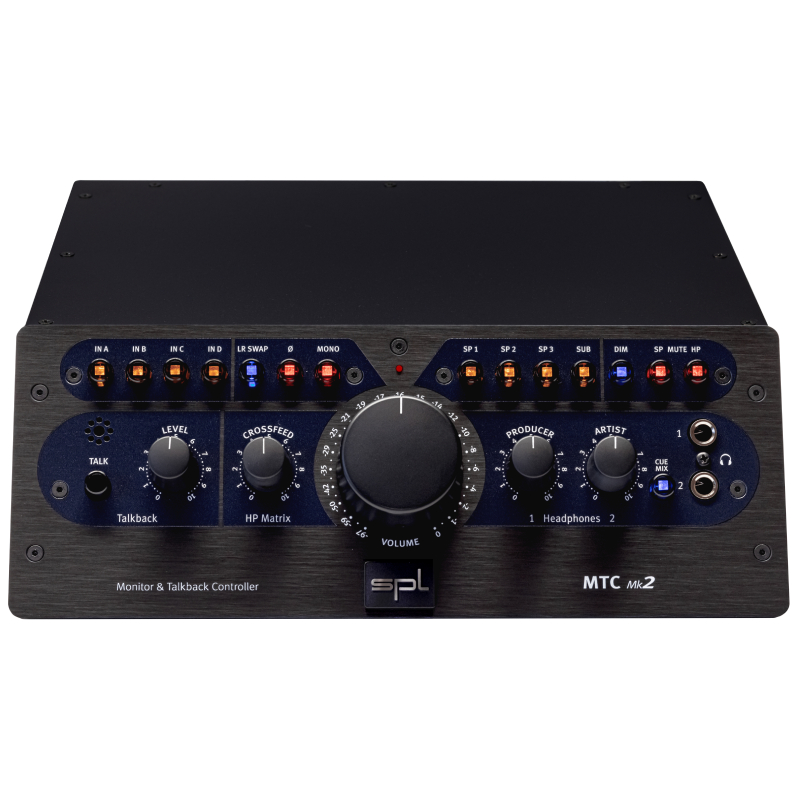
SPL's MTC 2381 Monitor & Talkback Controller combines volume level control, source switching and loudspeaker management for stereo monitoring with comfortable talkback and cue mixing functions. It provides six stereo source inputs, three loudspeaker outs, and a
“slave” output, which passively throughputs your stereo mix to the
2-track. Ergonomically, it’s a stand-alone “remote” and mainframe in
one, designed as a smart desktop unit. The latency-free Cue Mix signal for the musician can be composed of the musician’s track and the track mix. The Talkback communications option via built-in microphone provides a footswitch input for remote control and a separate output with the dry talkback signal. These features mean that monitoring in any DAW-based studio now can be expanded to include the kind of essential functionality that to now has only been available in large analog consoles. The sleek, ergonomic construction makes the MTC perfect for desktop placement – for example, near or under computer screens. The organizational focus that such essential services bring, coupled
with an extraordinary tonal quality, makes possible an unrivaled
convenience in DAW-based monitor management – in all areas of signal
processing and playback:
- stereo productions/recording studios
- movie and video post production
- video and computer game production
- audio-visual media and multimedia production
SPL MTC 2381 Monitor & Talkback Controller Features :
- A fully discrete, analog design dispenses with VCAs, DACs, etc., providing loss-free signal processing
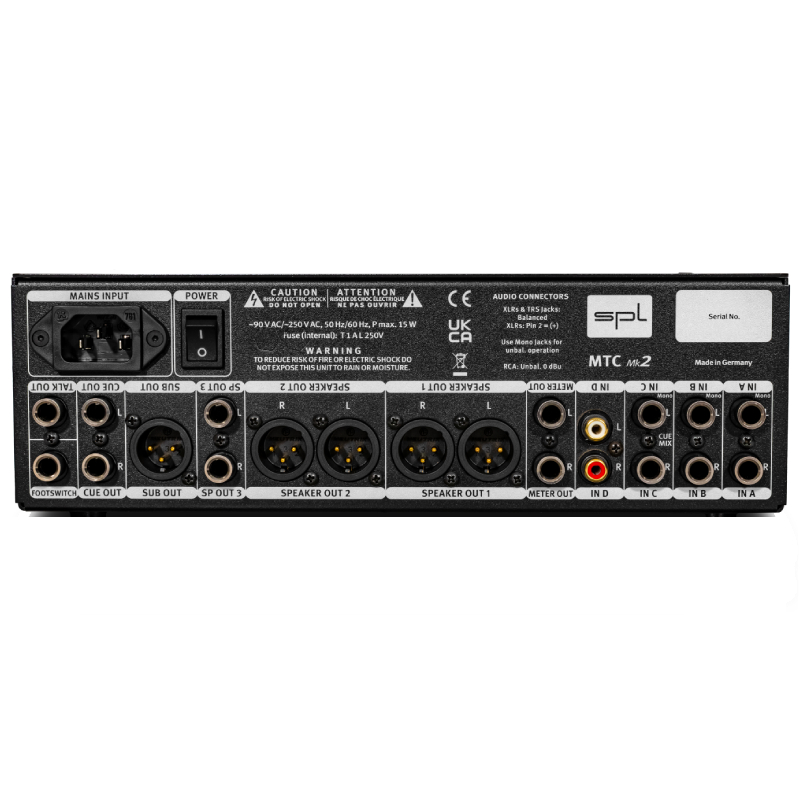
- Six rear-panel stereo inputs (four balanced and two unbalanced sources), balanced XLR outputs for three loudspeaker pairs, slave output
- Monitoring: source and loudspeaker selection, mono, dim, mute, switchable headphone output
- Talkback: built in microphone, separate output, footswitch input
- Cue-Mix: separate output, musician level, mix level and volume controls
SPL MTC 2381 Monitor & Talkback Controller Details : Master Volume The master volume potentiometer globally controls volume for up to three stereo speaker pairs. This analog control regulates the audio signal directly to avoid any coloration/distortion typical of VCAs, DCAs, etc., which require higher inter-channel tolerances and tend toward higher distortion figures. Moreover, this potentiometer possesses an optimal rotational torque and “feel” for precise hand control.
Status LEDs An LED over each front panel switch indicates activity by illuminating when its corresponding switch is turned on. If the Talkback function is activated by an external switch, the Talk LED will nonetheless illuminate. Speaker Calibration The MTC dispenses with speaker output trims, as they would unnecessarily stress the signal pathes—all active speakers and also power amps have input trims. The adjustment process should begin with the quietest monitor pair (smallest sound pressure level) with the input sensitivity at maximum level. Leaving the MTC Master Volume control as set, you then perform the same adjustment for the other monitor/speaker pairs until each produces the same sound level as the first pair. Lacking an sound pressure level meter, you may still accomplish this adjustment well enough by ear. Footswitch This 1/4 inch footswitch input can accept an on/off switch or key that allows remote control of the Talkback function. Any sort of switch or key (including footswitches familiar to keyboard players) can be used here. Slave Out The balanced 1/4 inch Slave Out jacks provide for summed output of all active 2Tr inputs (Mix, 2TrA to 2TrD). As an example, the monitor signal may also be routed to a recording medium, or, while one listens to a CD player, the output may simultaneously be routed to a DAW. You may likewise connect stereo metering equipment. The musician‘s signal (coming from the Musician input) is not routed to the Slave Out, as it is only used for latency-free monitoring, but not for recording. Talk Out The Talk Out connection routes the dry Talkback mic signal through its balanced 1/4 inch jack to create an alternative listening option (for example, to another room). This function is particularly useful when, for instance, the engineer wishes to avoid forcing all performers in the recording room to wear headphones. Also advertising narrators are not often happy wearing headphones. Routing through the Talk Out circuit, the engineer can communicate directly to narrators or musicians over an active monitor placed in the recording room. Headphone Output This is where your headphone can be connected for monitoring the control room mix—in parallel to the chosen loudspeaker monitor pair. The Headphone output can be toggled in or out with the HP On switch, so muting is possible without having to detach it each time.
|
![]() |
More Images (click to select)
Roll over the image on the left for a closeup view.
|
|
|
|